
The Rajasthan Single Sign-On (SSO) Portal (sso.rajasthan.gov.in) is an integrated digital platform launched by the Department of Information Technology & Communication (DoIT&C), Government of Rajasthan. It serves as a unified digital identity for all state residents, allowing them to access over 100+ government departments, welfare schemes, recruitment portals, and e-Mitra services through a single set of login credentials.
Instead of registering separately on multiple department portals, a single SSO ID provides fast, secure, and hassle-free access from any mobile phone or computer.
Disclaimer: This website (rajasthansso.id) is an independent educational and informational guide created to assist citizens with login procedures and portal navigation. This portal is not affiliated with, endorsed by, or associated with the Government of Rajasthan or the official portal (sso.rajasthan.gov.in). For official government applications and online services, please always use the verified government website.
SSO ID Login
Step-by-step login
Registration
Create your SSO ID
Forgot SSO ID
Recovery methods
e-Mitra
E-Mitra Services
Rajasthan SSO Portal: Quick Highlights & Overview
| Key Information | Official Details |
| Portal Name | Rajasthan Single Sign-On (RajSSO) |
| Nodal Department | Department of Information Technology & Communication (DoIT&C), Rajasthan |
| Official Website | sso.rajasthan.gov.in |
| User Categories | Citizens (Resident & Non-Resident), Udyog (Businesses), Govt Employees |
| Primary Identity Link | Jan Aadhaar Card (For Rajasthan Residents) / Google Account |
| Available Services | Recruitment (RPSC/RSMSSB), E-Mitra, Jan Soochna, Scholarships, Pensions |
| Helpdesk Numbers | 0141-5153222 / 0141-2740003 |
| Support Email | helpdesk.sso@rajasthan.gov.in |
| Service Cost | 100% Free of Cost for all citizens |
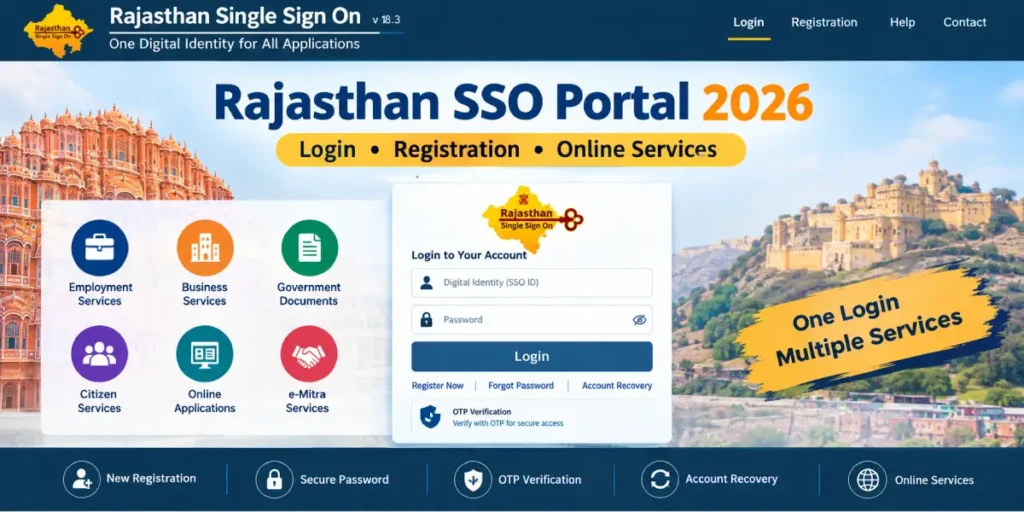
What is Rajasthan SSO ID and Why is it Essential?
An SSO ID (Single Sign-On Identity) is a unique digital username assigned to an individual, enterprise, or government staff member in Rajasthan. Once generated, this single identity replaces the need for remembering dozens of passwords across various state government portals.
Major Benefits for Citizens:
- Single Window Access: Apply for government jobs, college admissions, land records, or caste/domicile certificates using one single account.
- Eliminates Paperwork: Documents linked to your Jan Aadhaar (such as income certificates, educational marks, and bank details) are fetched automatically.
- Real-time Status Tracking: Monitor government applications, exam admit cards, grievance redressals, and subsidy disbursements directly on your personalized dashboard.
- Secure & Encrypted: Employs multi-factor authentication (OTP verification) to protect personal data from unauthorized access.
How to Login to Rajasthan SSO ID (Step-by-Step)?
If you already have an active account, follow these verified steps to access your dashboard. For detailed instructions, check our dedicated SSO ID Login Guide.
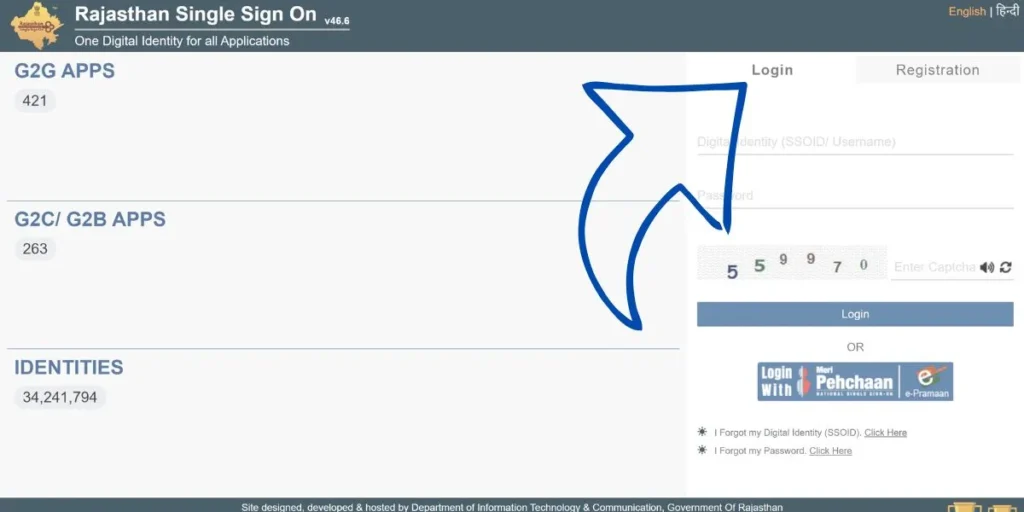
- Open your web browser and navigate to the official portal: sso.rajasthan.gov.in.
- On the main login screen, select the “Login” tab.
- Enter your SSOID / Username (or registered mobile number).
- Type in your confidential Password.
- Enter the numeric Captcha Code displayed on the screen.
- Click on the green “Login” button to enter your citizen dashboard.
(Tip: If you encounter an error stating “Session Expired”, clear your browser cache or switch to an incognito window.)
How to Register for a New Rajasthan SSO ID?
New users can complete the registration process within 3–5 minutes online. For complete troubleshooting and screenshots, see our SSO ID Registration Guide.
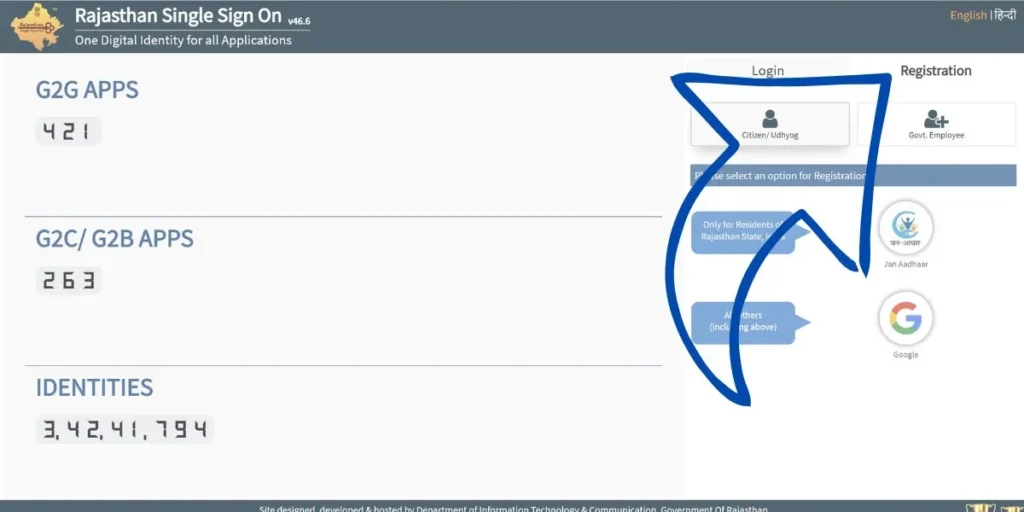
The portal provides 3 registration categories:
1. Citizen Registration (General Public & Students)
- Rajasthan Residents (Recommended): Select Jan Aadhaar. Enter your 10-digit Jan Aadhaar number or Enrollment ID, select your name from the family list, and verify via OTP sent to your registered mobile number.
- Non-Rajasthan Residents: Select Google Account. Sign in with your active Gmail address to automatically generate an SSO ID.
2. Udyog Registration (For Businesses & Enterprises)
- Business owners and proprietary firms can register using their Business Registration Number (BRN) or Sanstha Aadhaar.
3. Government Employee Registration (State Govt Staff)
- Employees of the Government of Rajasthan must register using their SIPF Number and verified departmental password.
How to Recover Forgot SSO ID or Reset Forgotten Password?
If you have forgotten your Rajasthan SSO ID (Username), you do not need to create a new account. The Government of Rajasthan provides three official methods to retrieve your registered SSO ID within minutes:
How to Update Jan Aadhaar Details Through SSO (e-KYC)?
Keeping your profile updated on the SSO dashboard is required before applying for scholarships or government recruitment exams:
- Log in to your SSO account at sso.rajasthan.gov.in.
- In the Citizen Apps list, click on the Jan Aadhaar application icon.
- Navigate to Citizen Services → Jan Aadhaar e-KYC.
- All family members aged 5 years and above must complete Aadhaar OTP verification.
- Once e-KYC is verified, update any changes in income certificates, bank account numbers, or educational qualifications.
- The Head of the Family (Mukhiya) completes the final e-Sign via mobile OTP. Verification takes 7 to 15 working days.
How to Merge Duplicate SSO IDs (Account Deactivation & Link)
Many users accidentally create two separate SSO IDs (one via Google and another via Jan Aadhaar), which causes errors when applying on the Recruitment Portal. To merge them:
- Log in to the Temporary / Duplicate SSO ID (the one you wish to discard—do NOT log into your primary ID).
- Go to the top right corner and click “Edit Profile” (Pencil Icon).
- Scroll down and click on “Deactivate Account”.
- Select the option “Merge with another SSO ID”.
- Enter your Primary SSO ID credentials and verify using the OTP sent to your registered mobile number.
- Once submitted, your applications and data are mapped to your primary ID, and the duplicate account is permanently closed.
Key Government Services Available on Rajasthan SSO
Once logged in, the SSO dashboard gives instant access to over 100+ state services:
- Recruitment Portal (RPSC & RSMSSB): Fill out online application forms for Patwari, REET, Police Constable, RAS, and CET exams without re-entering personal data.
- E-Mitra Portal: Apply for digital domicile (Mool Niwas), caste certificates (Jati Praman Patra), and pay utility bills.
- Jan Soochna Portal: View eligibility lists, ration card details, and welfare scheme delivery status.
- Scholarship Portal (SJMS): Apply for Social Justice and Empowerment Department scholarships for SC, ST, OBC, and EBC students.
- RajSSP (Social Security Pension): Track old-age, widow, and disability pension disbursements.
- Bhu-Naksha & Apna Khata: Check and download computerized cadastral maps and jamabandi records.
Frequently Asked Questions (FAQs)
Q1. Is it free to create and use a Rajasthan SSO ID?
Answer: Yes. Creating, maintaining, and using an SSO ID on the Rajasthan government portal is 100% free of charge for all citizens, businesses, and government employees.
Q2. Can people living outside Rajasthan apply for an SSO ID?
Answer: Yes. Non-residents of Rajasthan can register on the portal by selecting the Citizen tab and signing in through their Google Account.
Q3. Which mobile number receives the OTP during registration?
Answer: If you register using Jan Aadhaar, the OTP is sent to the mobile number linked to the specific family member chosen during enrollment. Ensure your mobile number is updated in the Jan Aadhaar database.
Q4. What should I do if my SSO ID account is blocked or suspended?
Answer: Accounts get temporarily locked after multiple consecutive incorrect password attempts. You can unblock it by clicking “Forgot Password” or contacting the DoIT&C helpdesk at 0141-5153222 or emailing helpdesk.sso@rajasthan.gov.in.
Q5. Can I change my SSO ID username after registration?
Answer: No. Once an SSO username is created, it cannot be edited or renamed. However, you can update all personal profile details, contact information, and linked documents inside the profile settings.